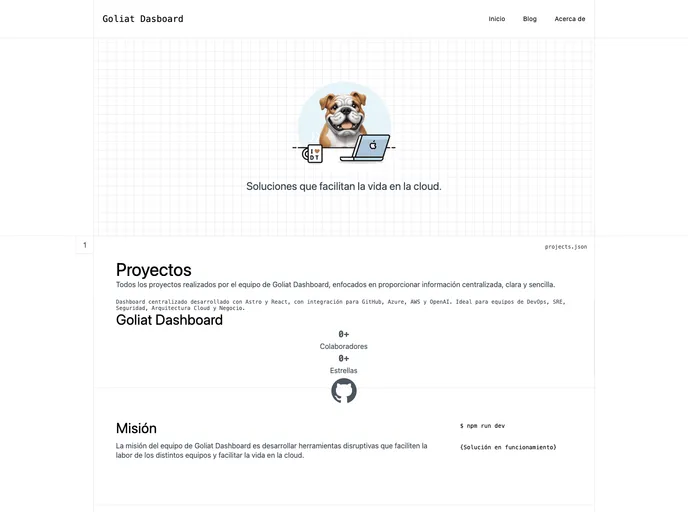
Dashboard centralizado desarrollado con Astro y React, con integración para GitHub, Azure, AWS y OpenAI. Ideal para equipos de DevOps, SRE, Seguridad, Arquitectura Cloud y Negocio.
Goliat Dashboard is an innovative platform designed to centralize operations, architecture, security, and business functions for modern teams. It provides a clear and simple interface for visualizing essential data related to repositories, workflows, and cloud infrastructures. This centralized approach boosts collaboration and enhances visibility, making it an invaluable tool for both technical teams and business units.
With Goliat Dashboard, users can leverage detailed insights and streamline their operational activities, thanks to its intuitive design and robust features. Whether you’re in DevOps, security, or business operations, this platform is tailored to meet the diverse needs of your team.
Centralized Dashboard: Effortlessly visualize operational and technical information essential for your organization in one place.
Astro Framework with React Components: Built using modern technologies, offering impressive performance and flexibility for development and maintenance tasks.
Role-Specific Design: Tailored features for key roles including DevOps, SRE, Cloud Architecture, and Security, ensuring relevant tools are at users’ fingertips.
Cloud Provider Integrations: Currently supports Azure and AWS, with upcoming integration for GitLab and Azure DevOps, enhancing functionality across cloud environments.
AI Integration with OpenAI: Leverages advanced AI for comprehensive analysis of data from GitHub and cloud providers, generating proactive insights for your organization.
Secure Public API: Provides controlled access with advanced features such as access tokens, geographic verification, and detailed logging of all access attempts.
Robust Security Measures: Implements advanced authentication and role-based access control (RBAC) using Clerk, allowing for precise management of user permissions and access.
User-Friendly Installation: Simple setup process for developers, including cloning the repository and installing dependencies to get started quickly.